You have probably seen “MCP” in meeting notes, demos, and roadmaps at least three or four times this year. Yet when someone asks, “So what is it, exactly?” the answer often sounds vague. This article keeps it simple: what MCP is, who uses it, and how it fits into a Microsoft-heavy world—without drowning you in jargon.
MCP in one sentence
The Model Context Protocol (MCP) is an open standard that lets AI applications connect to your tools, data, and services in a consistent and secure way.
Instead of building a new integration for every AI tool, you expose capabilities through an MCP server. Any MCP‑compatible AI client—Copilot, a custom agent, or another assistant—can then use those capabilities under your existing permissions.
Who actually uses MCP
You do not need to be an AI researcher to benefit from MCP. In practice, four groups get the most value:
- Data and analytics professionals : Let agents query governed data platforms and semantic models so users can explore data without writing complex queries.
- Business users : Ask questions in natural language and trigger approved actions in business apps, limited to the data they already have access to.
- Developers and data engineers : Connect AI to APIs, databases, internal tools, and workflows using local or remote MCP servers.
- Administrators and security teams : Control which MCP servers are allowed, enforce authentication, and monitor usage through logs. MCP does not grant extra permissions; it enforces your existing access controls.
If you work with AI applications and external systems, MCP gives you a standard, governed way to connect them.
Where MCP shows up in the real world
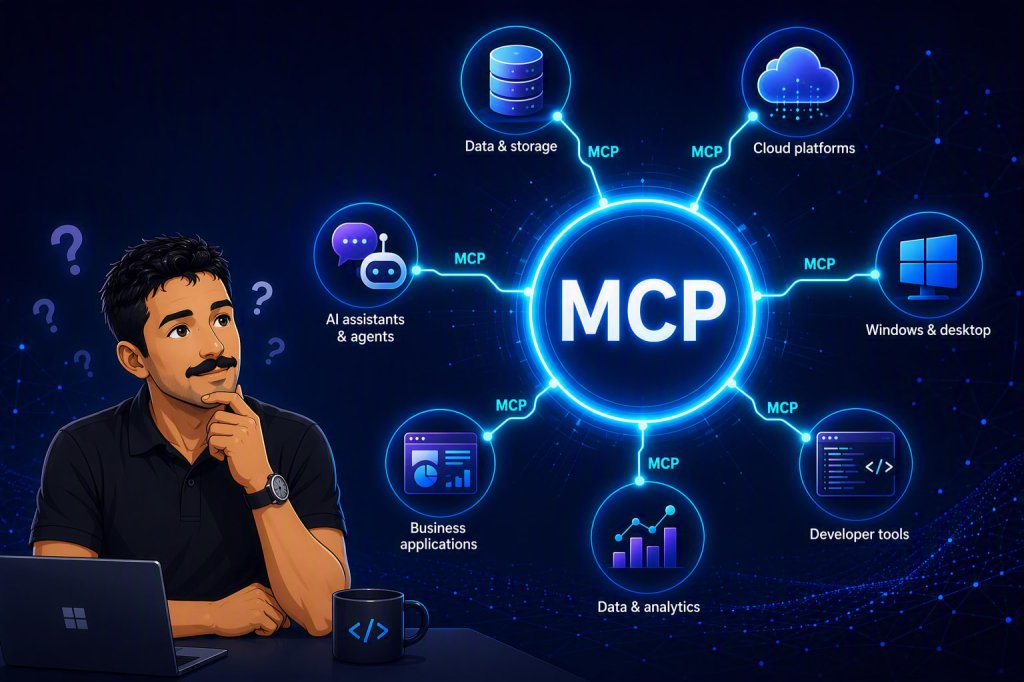
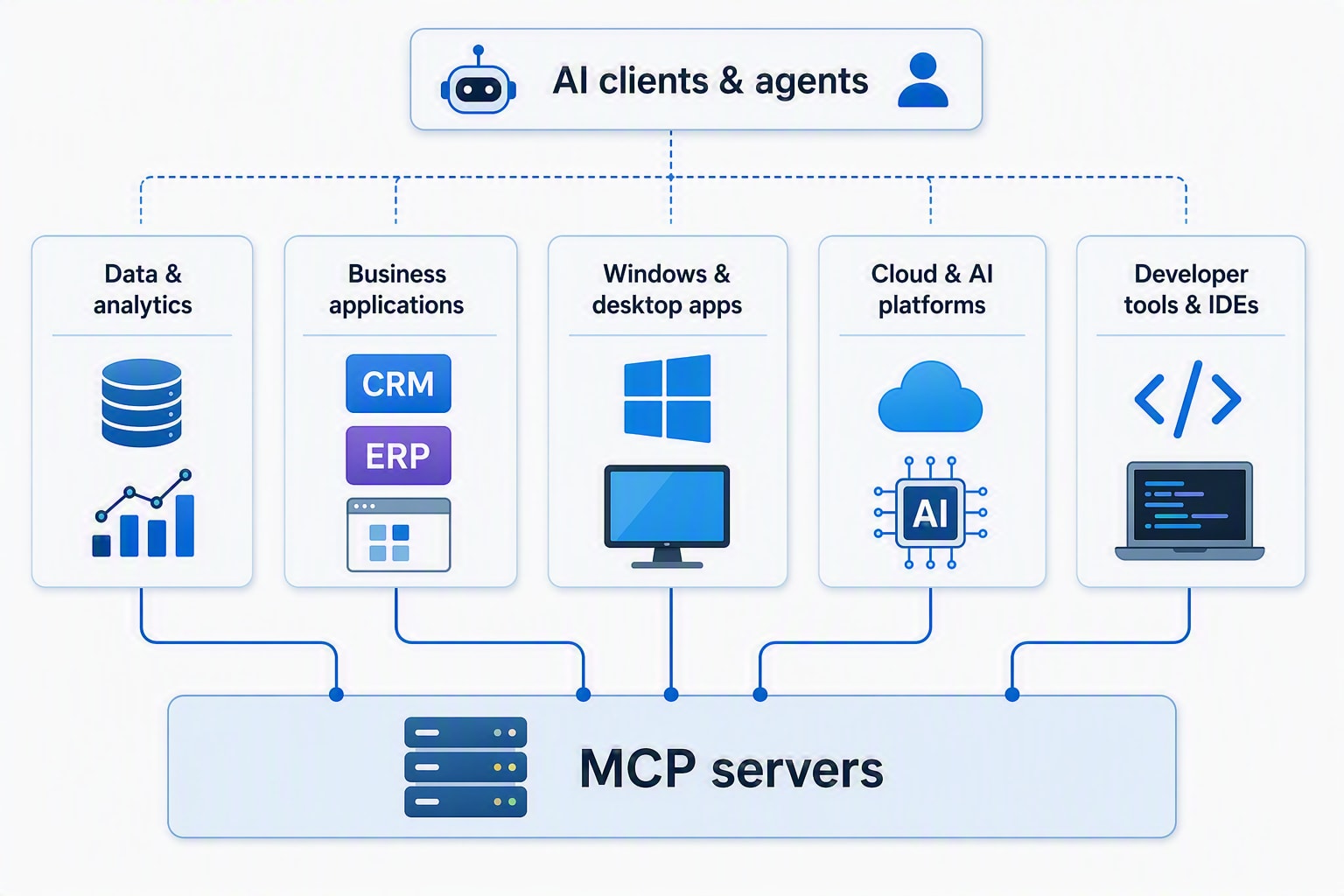
Where MCP shows up in the real world MCP is not tied to one product. You will see it across:
- Data and analytics : Data platforms and BI tools expose MCP servers so agents can explore metadata, run queries, and generate insights over governed data.
- Business applications : CRM, ERP, ITSM, and other SaaS systems can expose MCP servers so agents can search records, create tickets, and run workflows.
- Windows and desktop apps : Windows provides an on-device agent registry and connectors so AI apps can discover and use local and remote MCP servers securely.
- Cloud and AI platforms : Azure AI Agents and other frameworks support MCP tools for dynamic, secure access to external services.
- Developer tools and IDEs – GitHub Copilot, Visual Studio, and VS Code can use MCP servers to access documentation, code samples, and project-specific tools.
A simple mental model
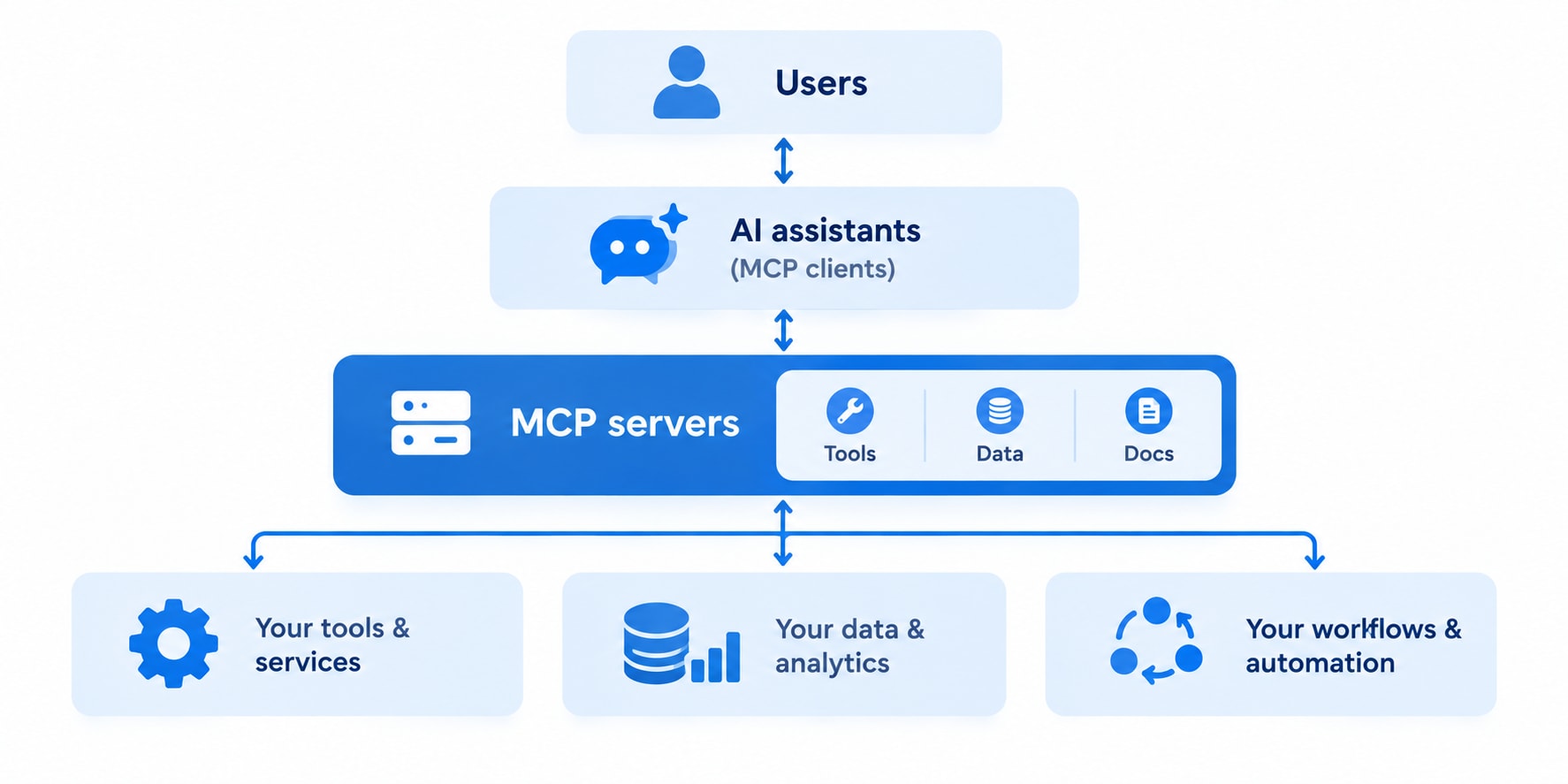
Think of MCP as a bridge between three layers:
- Users : People asking questions or requesting actions.
- AI assistants : Copilot, custom agents, or any MCP‑compatible client.
- MCP servers : The connectors that expose tools, data, and workflows from your systems.
In practice, it looks like this:
MCP in the Microsoft world
If your environment is heavy on Microsoft technologies, MCP is already part of the story:
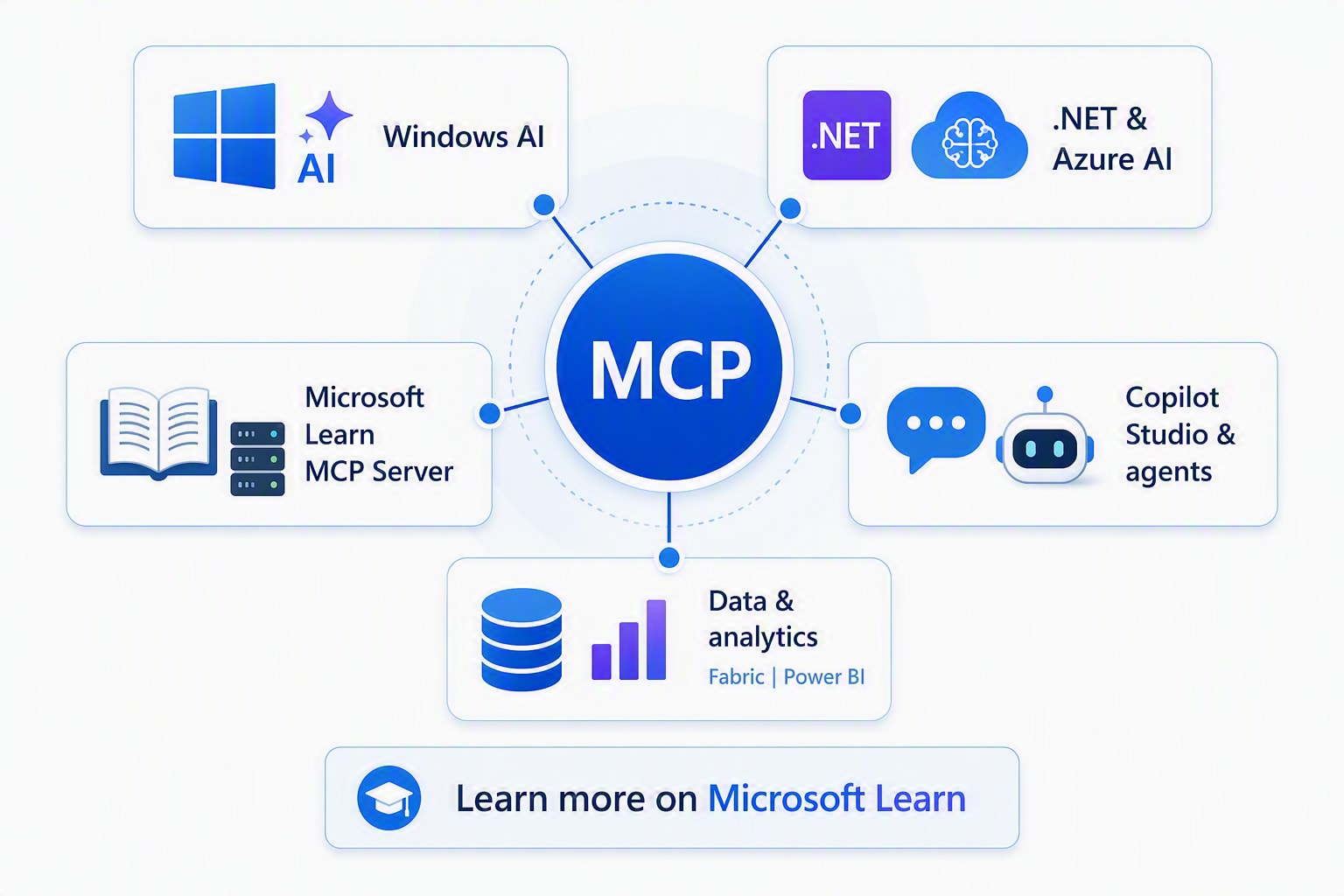
- Windows AI and on-device agents : MCP on Windows standardizes how AI apps discover and use local and remote connectors, with managed permissions and auditability.
- .NET and Azure AI : Microsoft provides guidance and samples for integrating MCP tools with .NET applications and Azure AI Agents, including training modules on tooling, MCP, and agent execution environments.
- Microsoft Learn MCP Server : A managed MCP server that brings up‑to‑date Microsoft documentation and code samples into GitHub Copilot and other AI clients.
- Copilot Studio and agents : You can add MCP as a tool in Copilot Studio to connect your agents to external systems, including Microsoft and third‑party MCP servers.
Where to learn more on Microsoft Learn
If you want structured learning, start with these free resources:
- “Get started with .NET AI and MCP” : Overview of MCP in .NET and Azure AI, with links to hands-on training.
- “Tooling, MCP, and Agent Execution Environments” : A training module that explains how agents use tools and MCP to perform tasks safely and at scale.
- “Get started with the Microsoft Learn MCP Server” : Step-by-step guide to using the Learn MCP server with GitHub Copilot in VS Code.
- “Model Context Protocol (MCP) on Windows overview” – Architecture and capabilities of MCP on Windows, including the on-device agent registry.
- Open-source “MCP for Beginners” curriculum : A free, cross-language course (C#, Java, JavaScript, Python, Rust, TypeScript) hosted by Microsoft that walks you from core concepts to building and deploying your first MCP server.
Why this matters for data and analytics
Regardless of platform, MCP changes how teams work with data and analytics in three practical ways:
- Faster insight : Users can ask questions in natural language and get answers grounded in real data and documentation, without writing complex queries.
- Less manual integration : Teams expose capabilities once via MCP instead of building separate connectors for each AI tool.
- Governed AI : AI agents act with your identity and permissions; they can only see and do what you are allowed to, with logging and encryption in place.
You do not need dozens of custom integrations. One MCP server can serve multiple agents and scenarios, which is why you are hearing about it so often.
MCP is not another buzzword layer. It is the plumbing that makes AI useful across developer tools, Windows, cloud platforms, business applications, and your broader data and analytics stack without reinventing integrations every time a new AI tool appears.